
RefTreeAnalyser Screenshots
Pages in this article
- Why RefTreeAnalyser?
- Screenshots of RefTreeAnalyser
- Version information
- Quick Operating instructions
- Full help
Download
You can use this button to download the add-in. Try it for free!
Screenshots
Below is a screenshot of RefTreeAnalyser, showing both dependents and precedents of a cell.
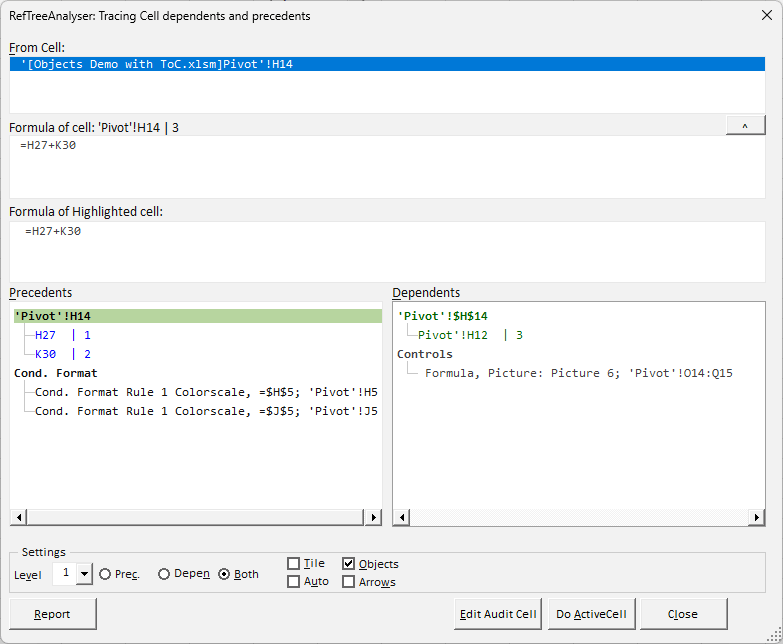
Note that it shows the value in each cell next to its address and also highlights references which evaluate to an error in red automatically. Note how Objects that either refer to the current cell (Dependent objects) and objects the current cell uses (precedents from object formulas in Validation and Conditional Formatting) are listed (when the Objects box is checked).
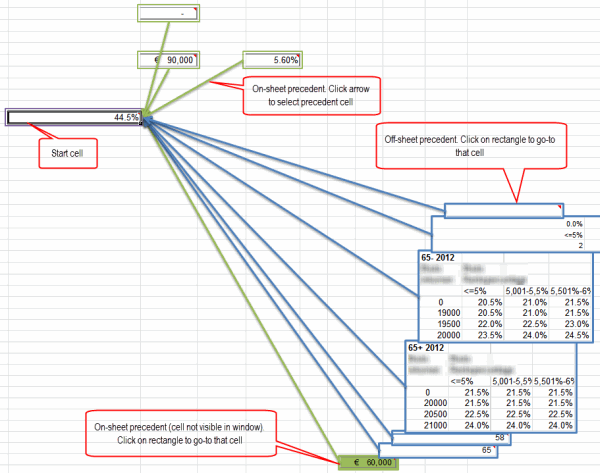
The Visualize option shows improved trace precedents arrows:
Buy now (Paypal and credit cards supported)
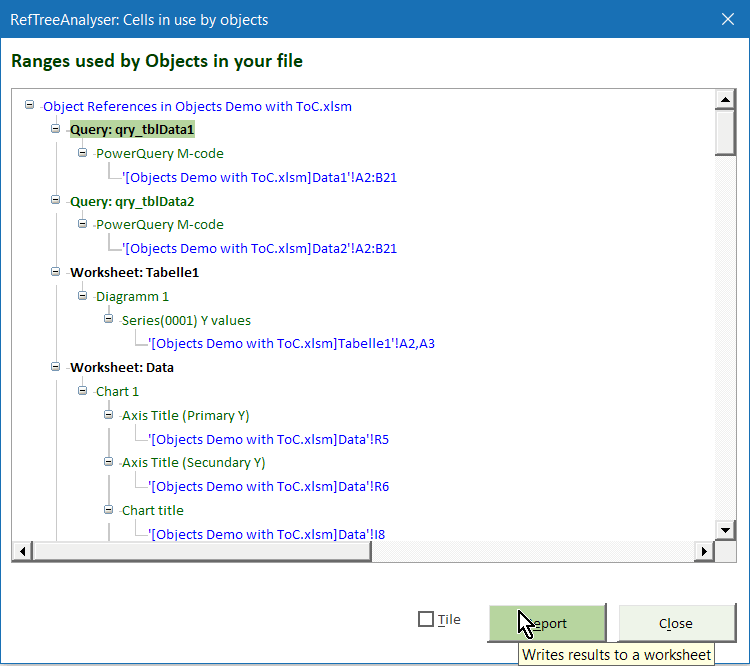
The Object Reference Enables you to see what your cells are used by objects on your sheets, such as Pivot tables, Charts and etcetera.
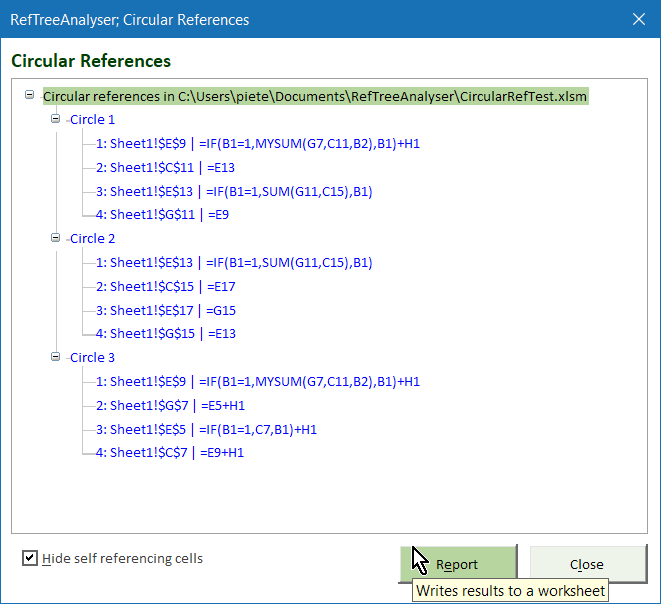
And here is a screenshot of the tool after detecting circular references:
RefTreeAnalyser integrates nicely with Excel. You will find its options on a separate tab on the ribbon called RefTreeAnalyser:

Buy now (Paypal and credit cards supported)


Frequently asked Questions
Where can I download the most recent version of RefTreeAnalyser?
What does the RefTreeAnalyser screenshot show about cell dependents and precedents?
How does RefTreeAnalyser highlight references that evaluate to an error?
What objects using the current cell are shown in black by RefTreeAnalyser?
What does the Visualize option in RefTreeAnalyser do?
What is the Object Reference feature in RefTreeAnalyser used for?
How does RefTreeAnalyser display circular references?
How is RefTreeAnalyser integrated into Excel's interface?
What kind of Excel objects can RefTreeAnalyser detect references for?
What visual aids does RefTreeAnalyser provide to help audit Excel formulas?
Comments