
Why RefTreeAnalyser?
Pages in this article
- Why RefTreeAnalyser?
- Screenshots of RefTreeAnalyser
- Version information
- Quick Operating instructions
- Full help
Download
You can use this button to download the add-in. Try it for free!
Easily navigate the reference tree
The formula auditing capabilities of Excel are limited in that they display a bunch of arrows from the current cell to its dependents and/or precedents. Navigating these arrows is relatively hard to do, especially if there are more than just one off-sheet reference and the combination of workbookname and sheetname is long (you're unable to see the cell addresses):
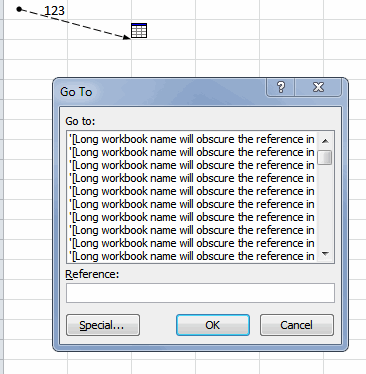
Moreover, the dialog shows all individual cells, rather than grouping contiguous ranges of cells.
RefTreeAnalyser does a much better job here:
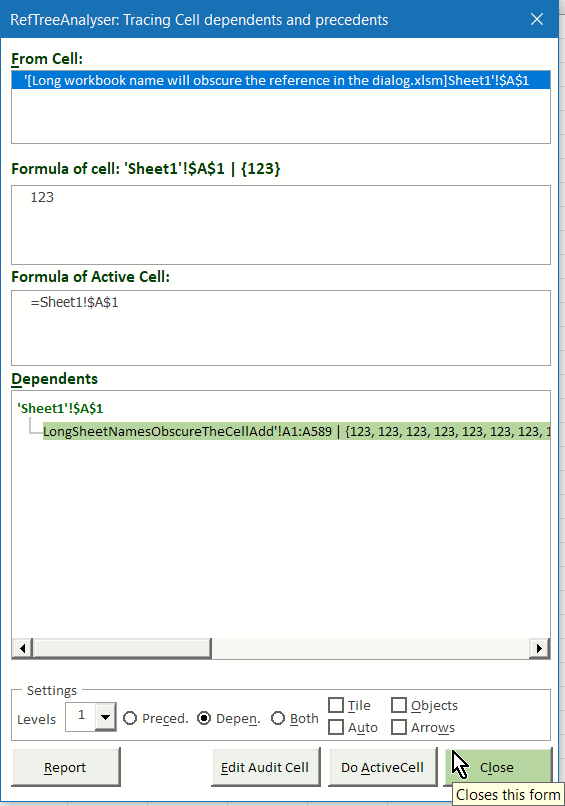
The RefTreeAnalyser greatly eases the navigation of dependents and precedents. You simply click on a found reference in a simple tree-like structured view and the accompanying cell or range of cells is selected. And like shown in this screenshot, if you check the "Objects" box you'll also see which objects refer to the selected cell.
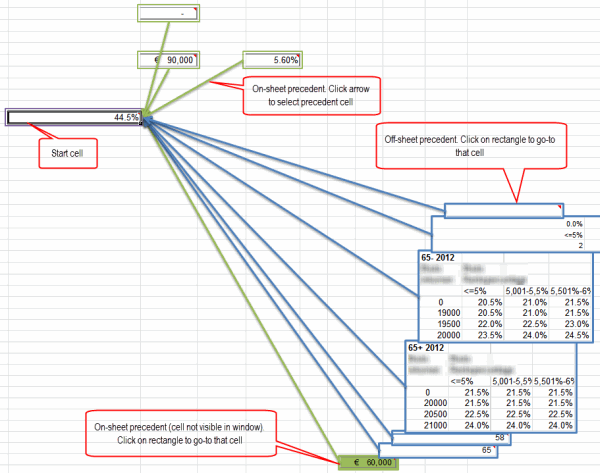
If you prefer a more visual way of detecting precedents, try the visualize option:
Buy now (Paypal and credit cards supported)
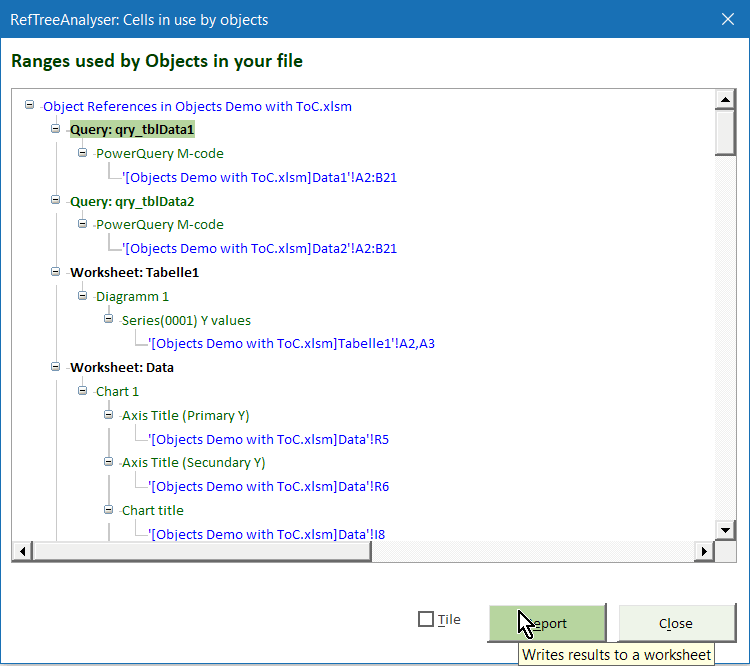
Find out what your objects are doing
It is hard to see which cells are used by objects in Excel. RefTreeAnalyser helps you with this:
Buy now (Paypal and credit cards supported)
Quickly see what cells are referred to
Although Excel does enable you to see what cells precede your cell and/or what cells use the current cell, getting an overview of them is quite hard. See the example below...

RefTreeAnalyser greatly simplifies this as well: it shows one tree-like overview of all cells that depend on the active cell and all cells that precede the current cell (and both may go up to 5 levels deep down/up the dependency tree!). The screenshot below shows what the same analysis looks like with RefTreeAnalyser:
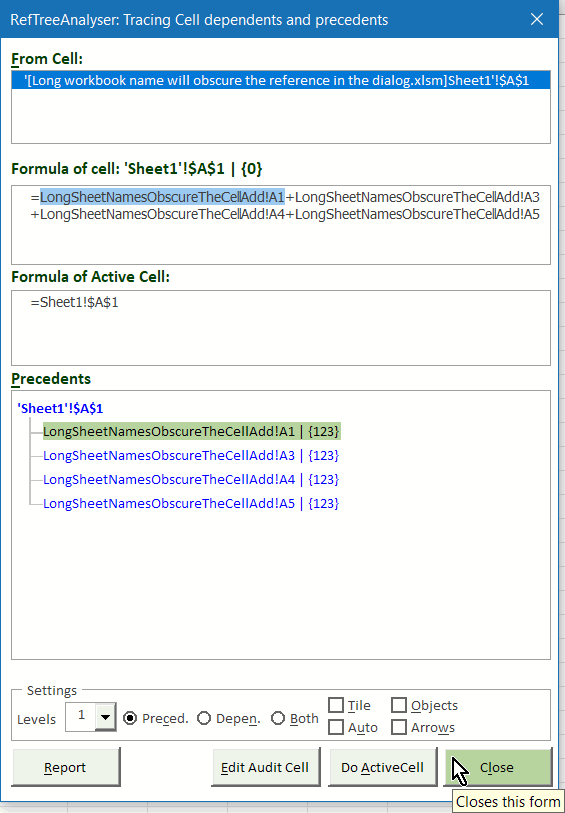
RefTreeAnalyser also scans your on-sheet objects (such as charts, pivot tables, form controls, ...). If it finds your analysed cell is within their source range it will show that object in the dependents list too, in black font (not shown in the screen shots here). If your cell contains data validation formulas or conditional formatting formulas, those will be analysed for precedents or dependents too.
Buy now (Paypal and credit cards supported)
Table of Content
Documenting spreadsheets is hard work. Let RefTreeAnalyser be of help and have it generate a complete Table Of Content for you, including:
- Worksheets
- Tables
- Charts
- Pivot tables
- Controls

Buy now (Paypal and credit cards supported)
Locate all circular references
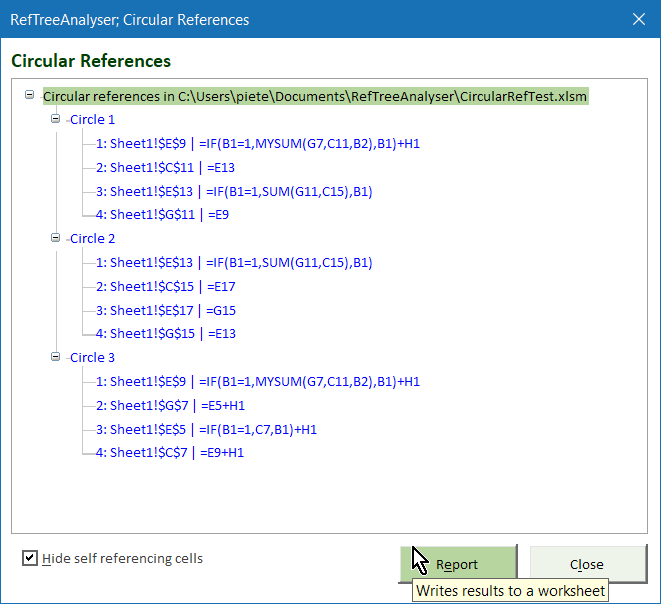
Excel does detect if a workbook contains circular references, but only enables you to navigate one. The RefTreeAnalyser detects all your circular references and shows them to you in one -easy to navigate- treeview. hover your mouse over the screenshot below for a short animated gif.
Buy now (Paypal and credit cards supported)
Get insight in your workbook structure
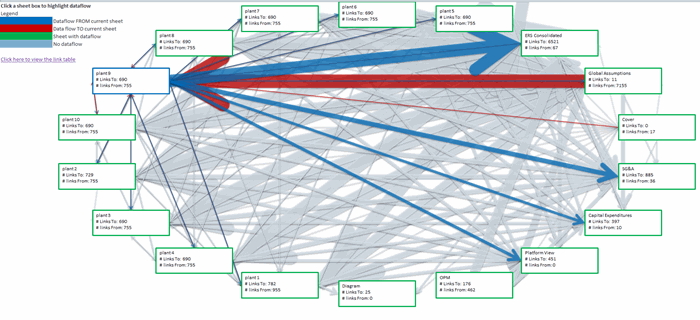
RefTreeAnalyser allows you to get a view on which worksheets in your workbook are using data from what other worksheets. Note that the arrows related to the blue colored worksheet are highlighted in color:
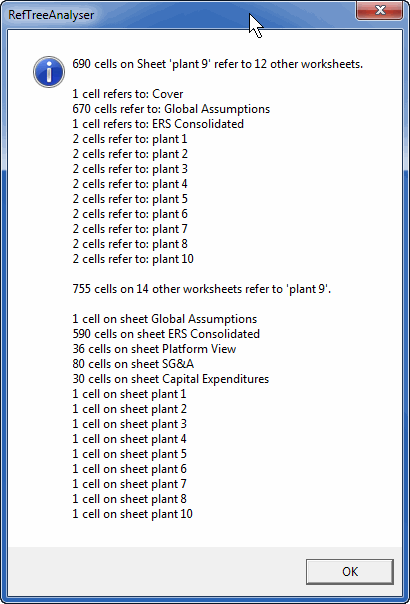
If you click any of the sheet boxes you get detailed information about the sheet:
Buy now (Paypal and credit cards supported)
Generate a report quickly
Excel's formula auditing tools do not have any reporting options.
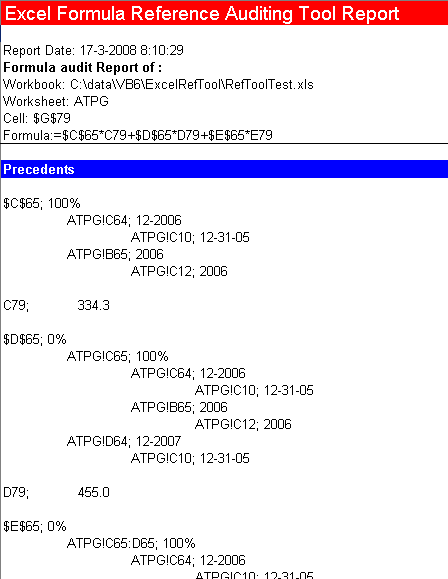
The RefTreeAnalyser comes with a Report option which writes the current analysis to a new worksheet in your workbook. The precedents report may look like this:
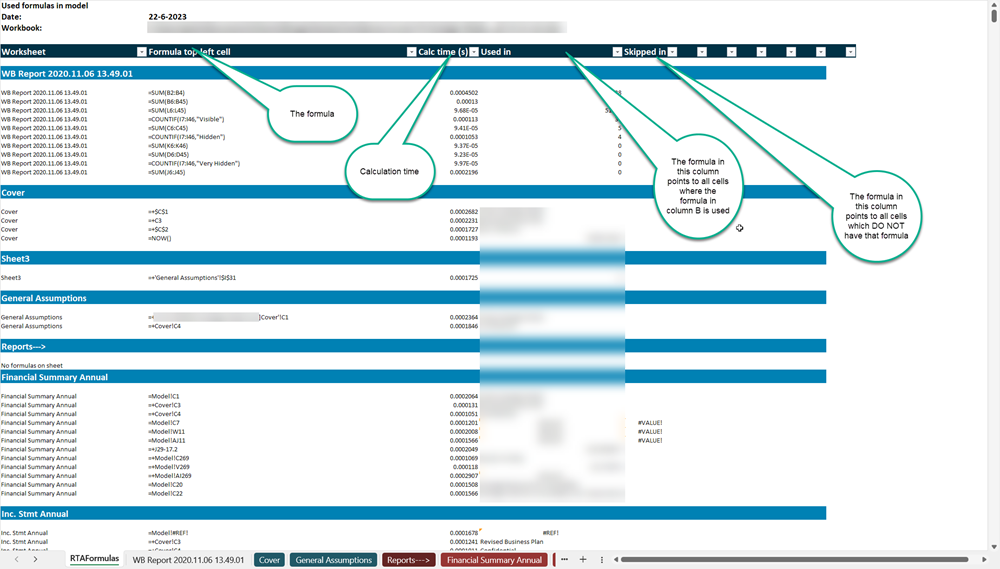
And the Formula report looks like this:

Frequently asked Questions
Where can I download the most recent version of RefTreeAnalyser?
What visual options does RefTreeAnalyser offer to detect precedents?
How can RefTreeAnalyser help identify which cells are used by Excel objects?
How does RefTreeAnalyser provide an overview of cells that precede or depend on the active cell?
What types of spreadsheet elements does RefTreeAnalyser include in its generated Table Of Content?
How does RefTreeAnalyser handle circular references in Excel workbooks?
What insight does RefTreeAnalyser provide about workbook structure and worksheet dependencies?
What reporting capabilities does RefTreeAnalyser offer that Excel's formula auditing tools lack?
What do the precedents and formula reports generated by RefTreeAnalyser look like?
Comments