
Charting a mathematical equation using Excel and defined names
When doing mathematics, wouldn't it be nice if we could type an
equation into a cell in Excel and immediately see the resulting graph?
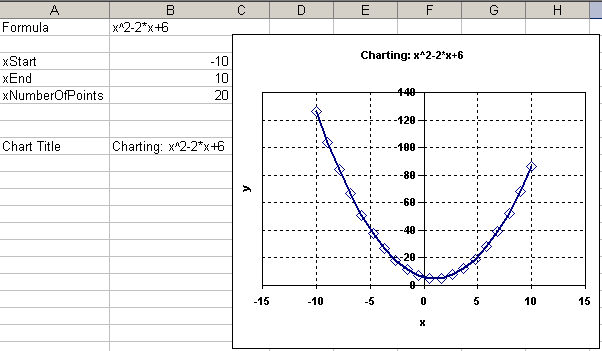
This article describes how this can be achieved by using just 4 input cells and a set of defined names.
Content:
Turns out this trick has been demonstrated before: Stephen Bullen has created an almost identical version of this workbook a long time ago, probably using Excel 5. Look for a download called ChtFrmla.zip.
Frequently asked Questions
How can I chart a mathematical equation using Excel?
Is it possible to type an equation into an Excel cell and see its graph immediately?
What are defined names in Excel and how are they used in charting equations?
How many input cells are needed to create a chart from an equation in Excel?
Where can I find an example workbook similar to this Excel equation charting method?
Who demonstrated the trick of charting equations in Excel before?
What is the name of the downloadable file that contains a similar Excel workbook?
What version of Excel was used in the original demonstration of this charting method?
What does the example image in the article show?
What is the main benefit of using defined names for charting equations in Excel?